 Pikamark

A cozy home for your bookmarks
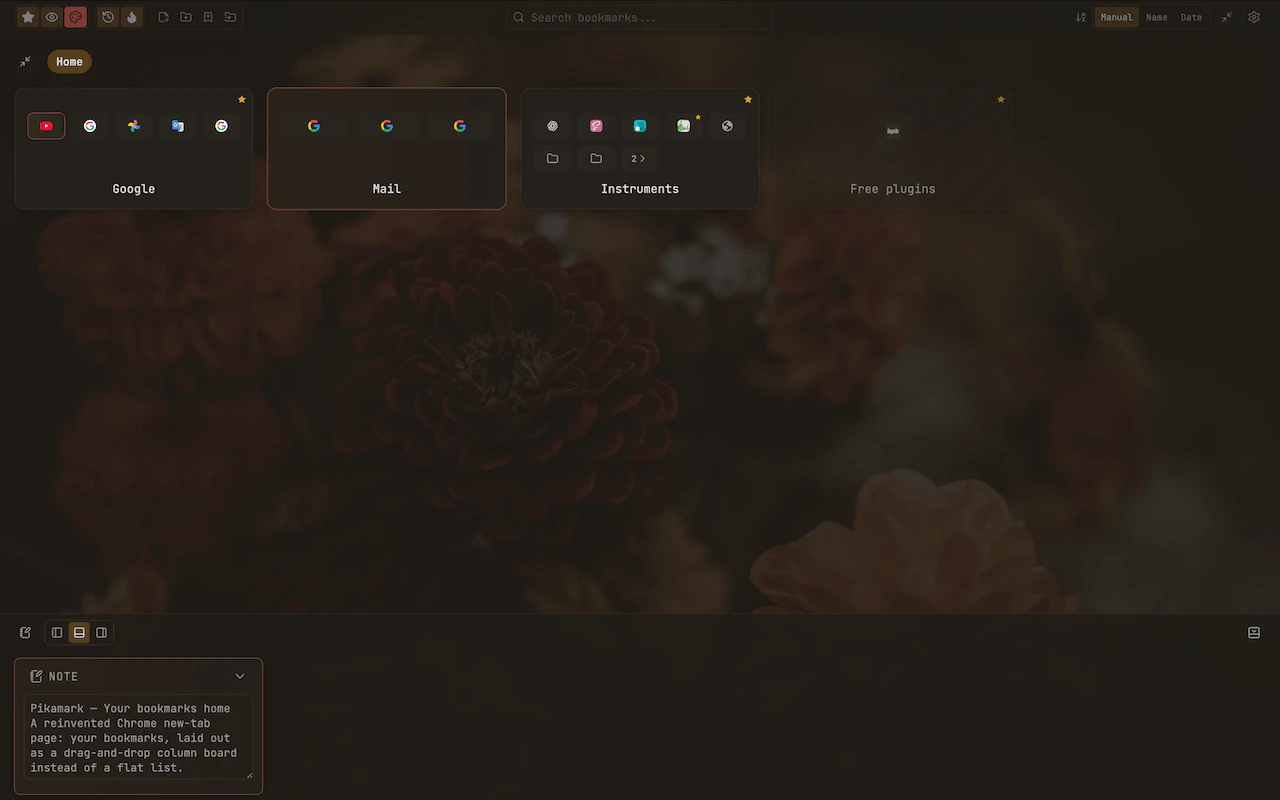
Pikamark turns your new tab into a cozy home for your real Chrome bookmarks — browse them as a column board or a gallery, switch anytime. Add notes, star favorites, color-label folders. No flat lists, no clutter.
Free · No account · No data ever leaves your browser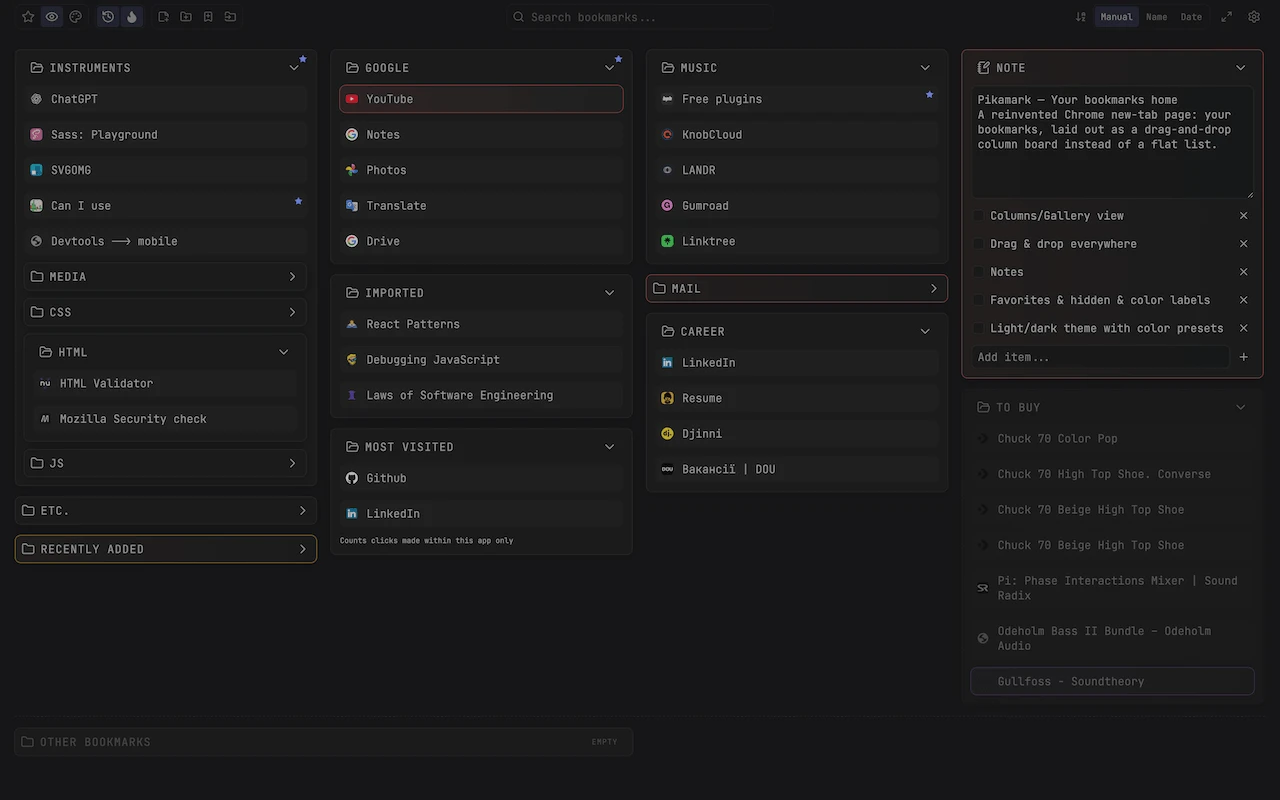
Everything a bookmarks page should be
Column view
One way to browse: your bookmarks as columns you can drag, resize, and rearrange. Move folders within or between columns, or split one off into a new one.
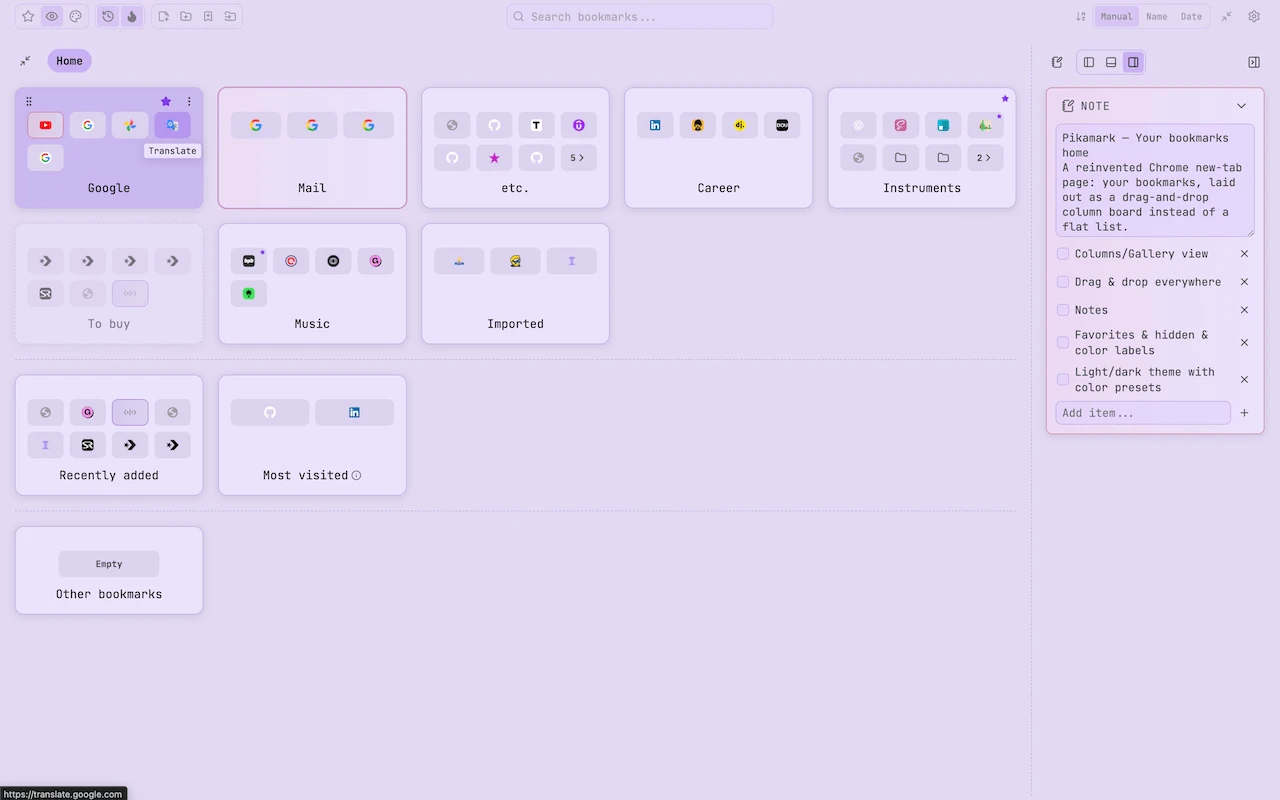
Gallery view
The other way to browse: any folder, or Home, as a big tile grid with breadcrumbs and your notes close by. Switch to it whenever you'd rather see more, click less.
Drag & drop everywhere
Folders, individual bookmarks, and notes can all be reordered or moved freely.
Notes
Add freeform title+text or checklist notes as cards alongside your folders.
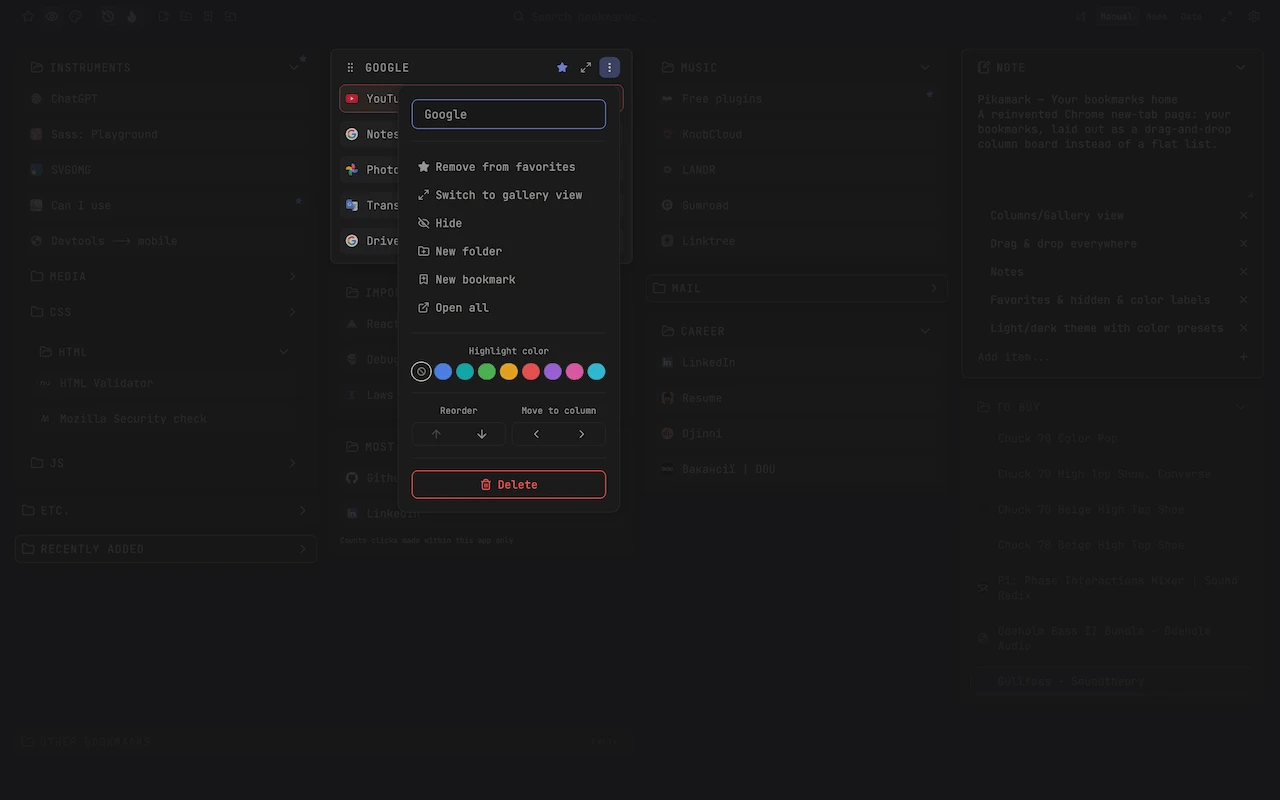
Favorites & color labels
Star anything, tag folders and notes with a color, and filter down to favorites only.
Discovery folders
Optional recently-added and most-visited smart folders alongside your real ones.
Search & sort
Find any bookmark instantly as you type, then sort by name, date, or your own order.
Save open tabs as a folder
Snapshot your current window's tabs into a new bookmark folder in one click.
Backup & restore
Back up your notes, favorites, and layout to a file, and restore them anytime.
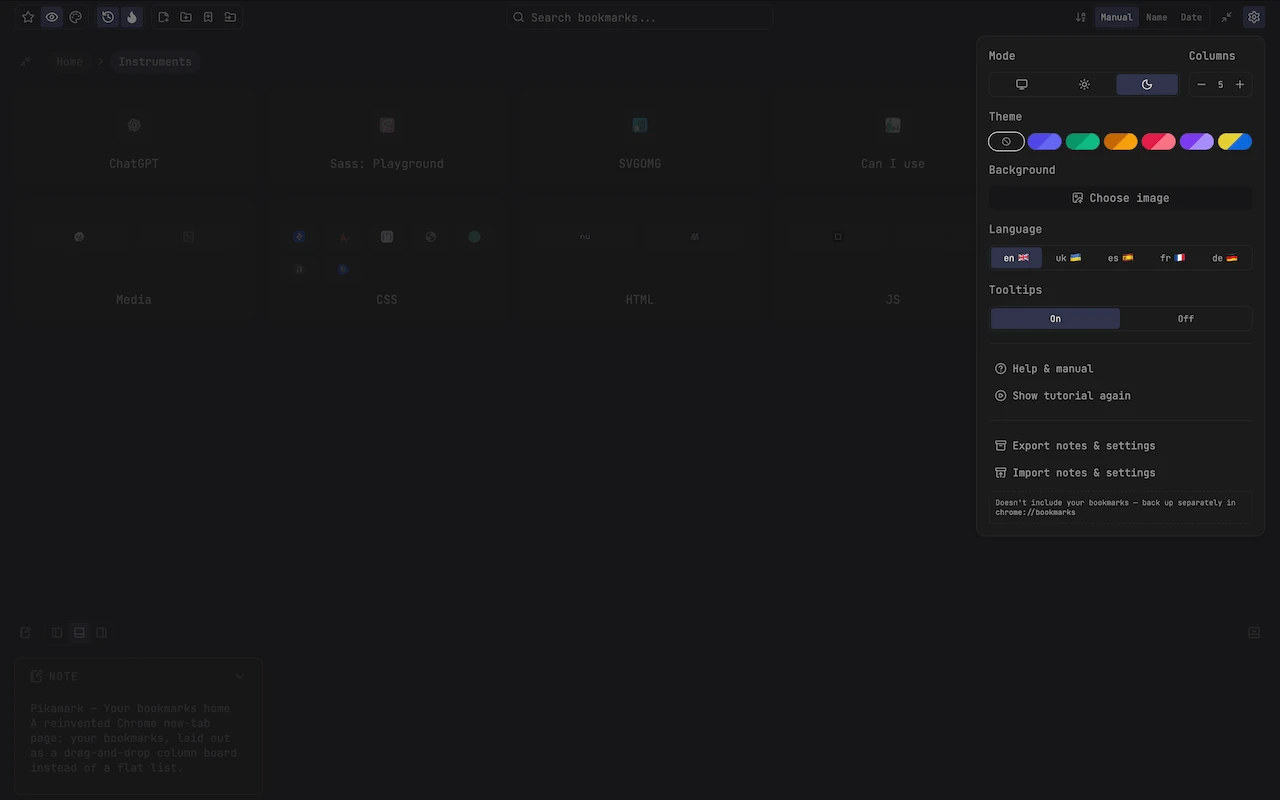
Light & dark themes
Follows your system setting or an explicit choice, with accent color presets and custom backgrounds.
Multi-language UI
English, Ukrainian, Spanish, French, and German, switchable independent of your browser locale.
Your bookmarks stay yours
Everything lives in your real Chrome bookmarks — Pikamark just gives them a nicer home. Nothing is copied, hidden, or locked away.
See it in action
...and more